
A few years ago the club was lucky enough to be selected to host one of a handful of ICOM supplied D-Star repeaters. As D-Star uses the internet to link repeaters around the world it was necessary to have our repeater shack setup with an ADSL connection, which the WIA graciously funded until recently.
We looked at the costs of the internet link, but being a small club it would have a significant impact on the clubs finances. The other challenge was our options for internet connectivity where limited at the repeater site. Despite being only 25km from the Sydney CBD Terrey Hills is classed as semi-rural, which in turn means no naked DSL options or a choice of service providers.
Obviously being a radio club we started to look at our options, including the use of wifi. It was during a brainstorming session that one of our members said the repeater tower was line of sight to his house (around 7km away) and that his internet access would be on offer.
A quick look at google maps showed the terrain was ok, next a visual site survey was in order, to verify the Line Of Sight.
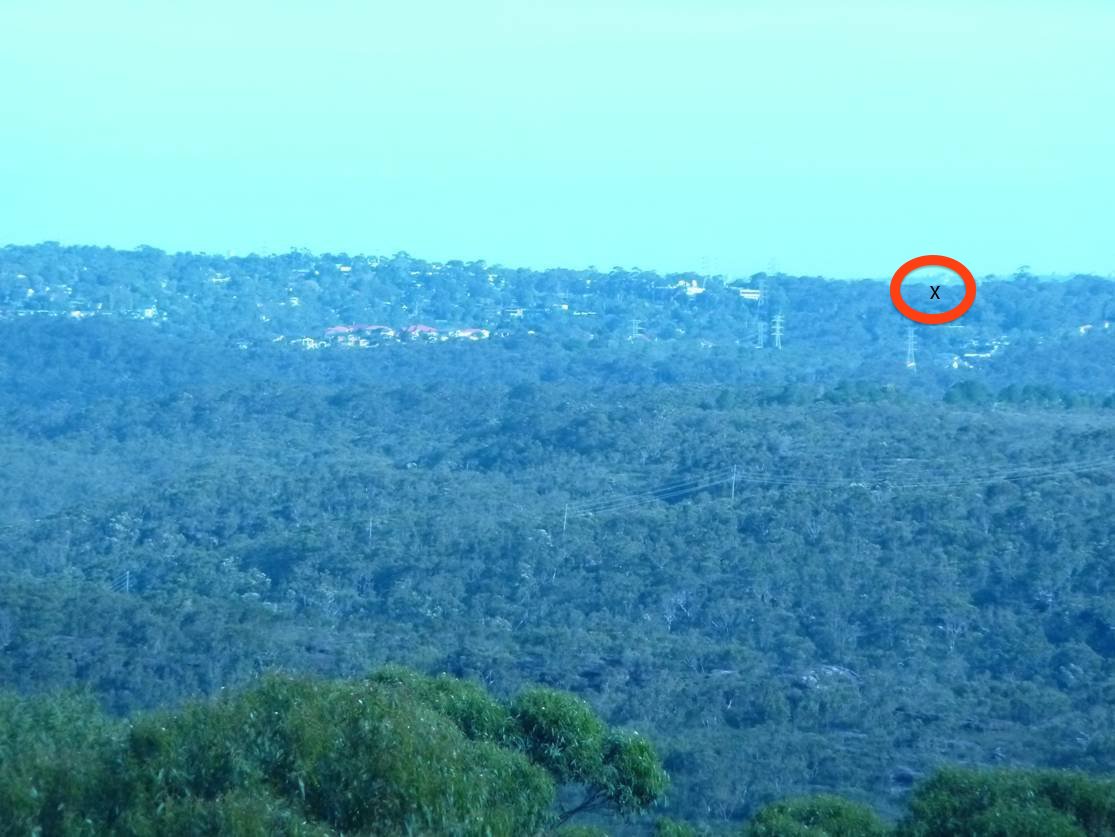
View from the top of the tower , x marks the spot to the club members house
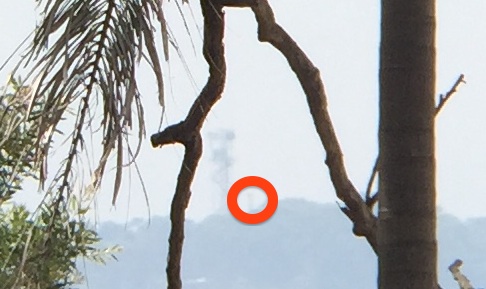
Here is the view from the members house to the tower. The tree and the branch wasnt ideal to have in the way of a wifi link, but you deal with the cards that are dealt to you.
The Equipment
Next was the 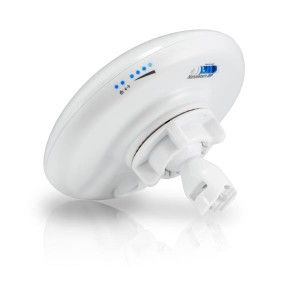 frequency and the equipment to use to obtain a solid link at 7Km; Calculating the link budget 5Ghz was selected as it works slightly better in the rain/wet (wet trees / branches might as well be made out of lead for 2.4Ghz)
A pair of Ubiquiti NanoBeam M5-16 NBE-M5-16 are used for the 7Km link; these are very neat units, weather proof (more on that in a moment) Power Over Ethernet, External LED RSSI (sadly they are blue LEDS… ) used to help aim the dish, ballsocket type mount. They do look like a floodlight which was apparently the inspiration of the design…
Cabling
30Meters of outdoor rated cat6 cable is used to connect the wifi unit at the top of the tower, the cable has a drain wire and shielding that is connected to a pair of Ethernet Surge Protectors that are grounded at both ends.
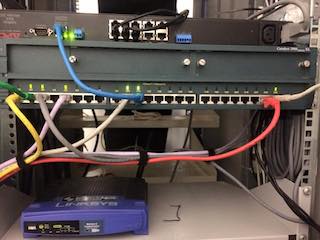
Setup
Climbing a tower is specialised work, and we are lucky to have the required expertise and equipment with in the clubs members. So a date was set and the equipment was installed at the repeater site. The mounting of this equipment is very easy before long we had the system installed.
With the thought that everything was going too simply going through our minds we flicked on the power switch and hoped for the best. Sadly murphy had visited us and we didn’t have a link. I started to wonder… Was the link budget wrong? (Ironically my tafe teacher is a ham and also a member of MWRS, he will confirm that when it comes to dB’s and logarithms , that its just best not to have me in the same conversation… i never did think i would finish tafe , I’m still haunted to this day by Maths B…) Anyway i digress .
Logging into the device via the lan connection showed the device had selected a nice quiet channel of 34(5170Mhz) and was sitting there waiting for the other end to connect. Quick look at 5Ghz band plan shows this is limited in power (the Ubiquity 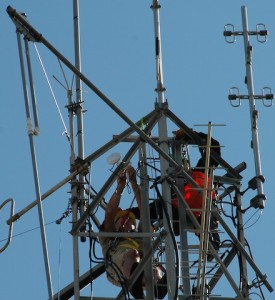 follow the power levels allowed in the country selected when you configure them the first time) a quick reconfigure of the device to only select channels between 149(5745Mhz) – 165(5825Mhz) and we got a link! Initially the quality of the link was not fantastic, however with some minor changes (aka clicking rage) we got a nice and stable link. Since I was down the bottom of the tower with my head buried in a laptop I forgot to be clear in my updates to the guys at the top the tower. They didn’t realise we had a link at all, and interpreted my requests for the dish to be adjusted a few times (whilst I chased every db of signal) to be a sign we didn’t have any signal.
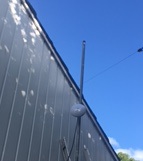
This is the internet side of the link.
We also wanted to see if minor adjustments to the internet side of the link could yield better connectivity so we quickly headed over to see if we could get more signal. Again the guys at the top of the tower didn’t realise we where just chasing down the last few db and where about to pull the system off the tower! Sorry guys!
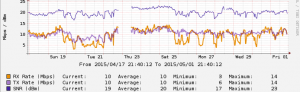 So after all that we now have a working link at 5Ghz. The sync rate is around 10-12Mbps in both directions using a alternate data rate modulation that provides stability over speed, it does fluctuate but remains stable with a RTT of about 1-2ms… One concern we had was how weather proof these devices were; recently Sydney had a storm of the
 decade century which saw almost 100mm of rain in a 24hr period, wind gusts of 100Km/h for a few days in a row, you can see in the graph above the sync speeds dropping in the torrential rain and wind and staying low for most of the day. Note: The Blank part of the graph is unrelated to the storm, we I forgot to update the DNS entry cacti was using to poll the devices when we cut off the old internet service.
Special thanks to all people involved to make this happen and volunteering their time ; it was a fun project! Ive been asked to do a lecture on this, with more techie details on the setup of the networking, wifi, equipment used etc …
- VK2AUJ, VK2AVR ,VK2BT, VK2FWOO, VK2JNA, VK2MXC, VK2MZZ, VK2RQ, VK2TMF
Sadly the linksys internet wasn’t available in our area 😉
Thanks for Carlo/VK2MXC for editing my ramblings before publishing
No Comments Yet